 DiskPilot
Disk almost full?
See it first. Then clean.
DiskPilot turns your home folder into a map, sorts cleanup suggestions by risk, backs up or archives what you rarely use to your cloud drives — and lets Claude take care of it for you.
SPACE MAP
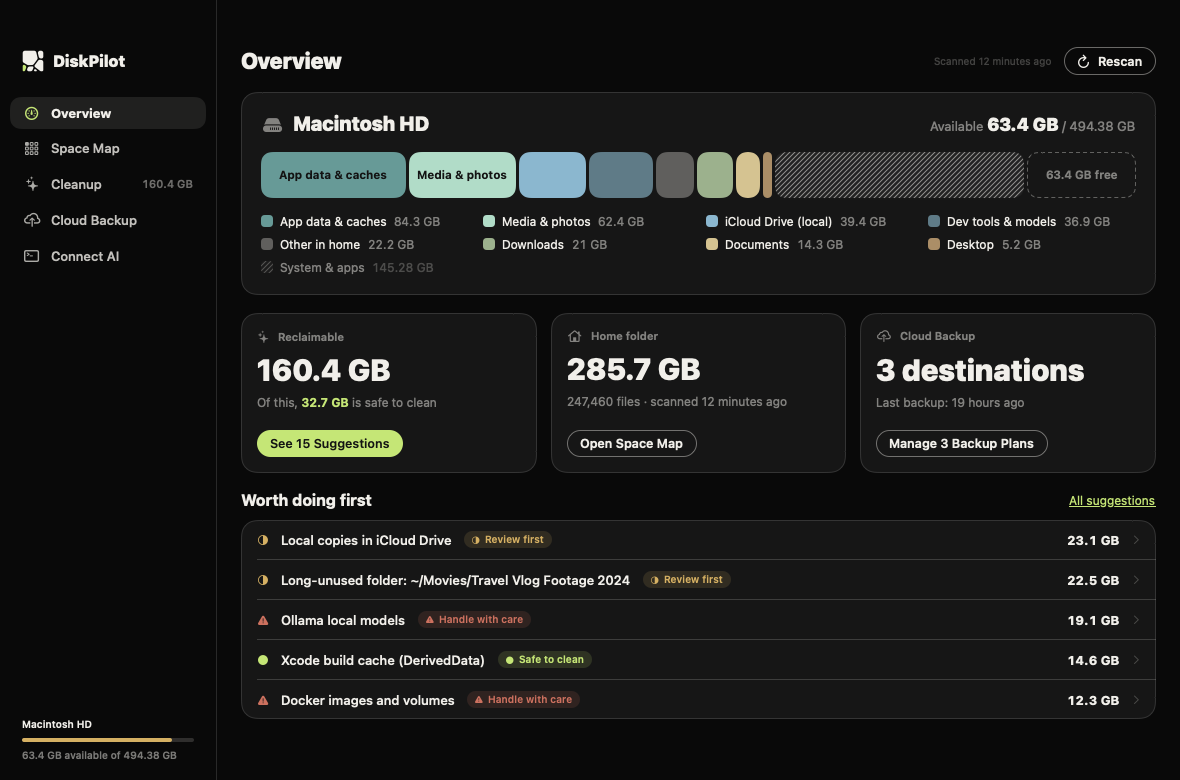
See at a glance where the space went
After a scan, every folder gets an area proportional to its size. The eight largest each get their own colour, shared by the list and the map. Click to drill down; right-click to show it in Finder, move it to the Trash or archive it to a cloud drive.
Voronoi treemap: area follows size. Hover over a cell and it opens into a web of the same colour that shows the folders inside.
CLEANUP
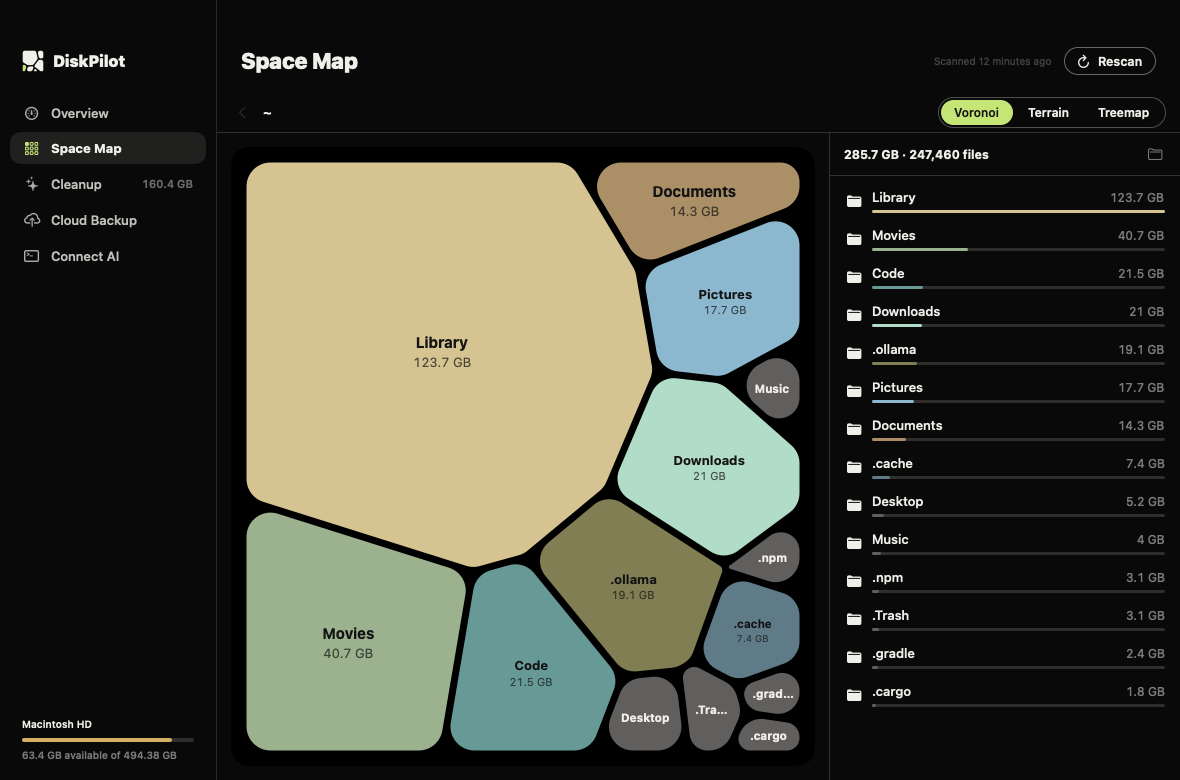
What to delete, what to leave alone — in three levels
DiskPilot knows more than twenty of the usual space hogs — Xcode, simulators, npm, Docker, Ollama, WeChat and more — and finds node_modules in idle projects, installers in Downloads and big folders untouched for half a year. Every suggestion says how much it frees and what deleting it means.
Comes back on its own
Caches, build output, debug symbols. Clean them in one click.
e.g. Xcode DerivedData, app caches, the npm cache
Probably fine, take a look
Open the details to see exactly which files, then clean.
e.g. installers in Downloads, dependencies of idle projects, iCloud local copies
Loses data — never one click
DiskPilot only tells you the command to run or where to clean it up, and leaves it to you.
e.g. WeChat files, Docker, Ollama models, device backups
SAFETY
It won’t make risky calls for you
The worst thing a cleaner can do is delete the wrong file. Every change DiskPilot makes can be undone, or it stops and asks first.
- Moves to the Trash, never deletesEmptying the Trash is a separate step you confirm yourself.
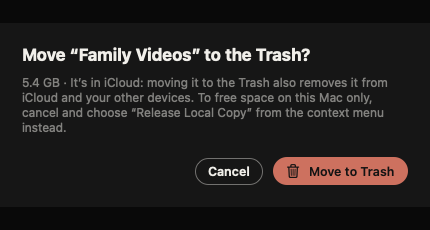
- In iCloud, it suggests releasing the local copy firstThe file stays in the cloud and downloads when you need it. If you really want it gone, DiskPilot warns you that it disappears from all your devices.
- Checks before it archivesIt backs up to the cloud, compares every file, and only then moves the local copy away.
- Important folders are protectedDocuments, Library, .ssh and the like are never removed as a whole; nothing outside your home folder, Applications and external drives is touched.
- Runs on your MacScanning and analysis happen locally. Only when you ask Claude does the relevant information go out, through your own Claude Code.
BACKUP
Back up to the cloud drives you already use
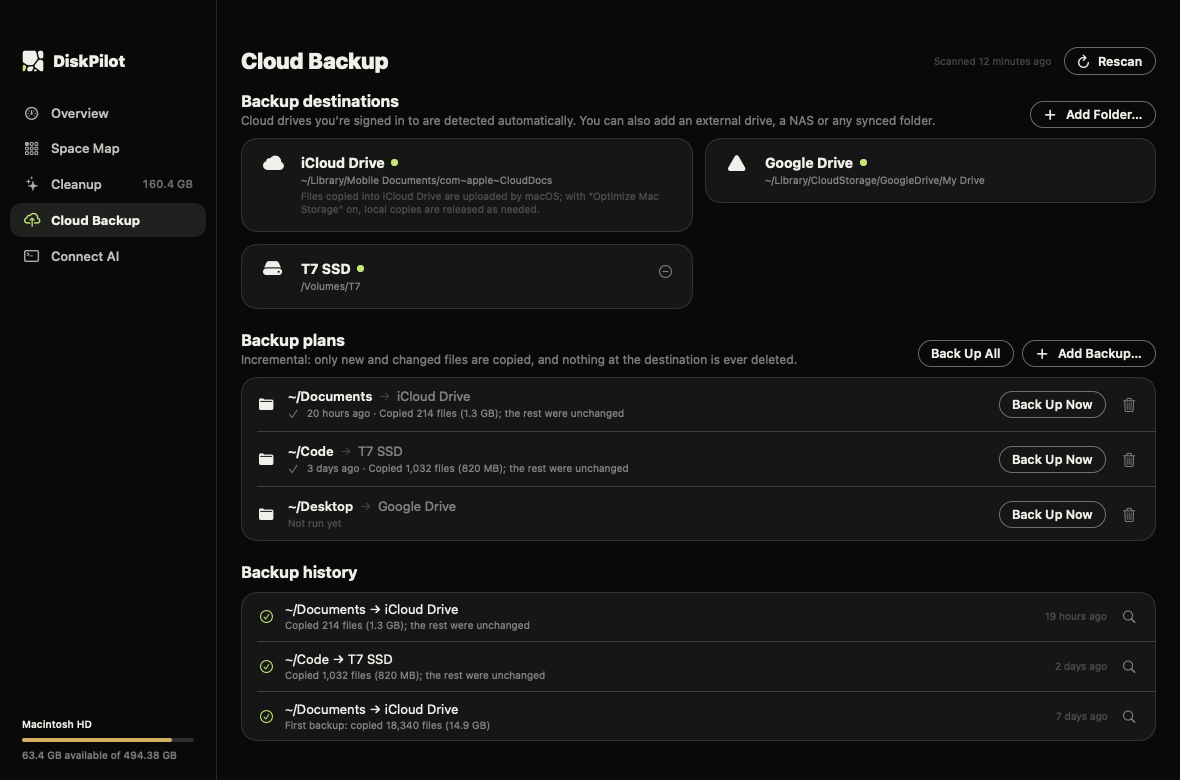
iCloud Drive, Google Drive, Dropbox, OneDrive and Box are detected when you’re signed in. You can also add an external drive, a NAS or any synced folder.
- IncrementalOnly new and changed files are copied, so repeat runs are fast.
- Never deletes at the destinationFiles you delete on your Mac are still in the backup.
- One folder per MacSeveral Macs can back up to the same drive without overwriting each other.
CLAUDE
Say “check my disk” and let Claude do the rest
Everything DiskPilot does is also a command and an MCP tool. Once connected, Claude can scan, analyze and propose a plan on its own, then carry it out after you approve.
- My disk is almost full. Where should I start?
- Which large files haven’t been touched in months?
- Archive my old projects to iCloud
- How much do developer caches take?
Connect Claude Code
Use the Connect button in the app, or run:
claude mcp add diskpilot --scope user -- /Applications/DiskPilot.app/Contents/Helpers/diskpilot mcpOr use the command line
diskpilot suggest --json
diskpilot clean xcode-derived-data            # dry run
diskpilot clean xcode-derived-data --execute  # move to the Trash
diskpilot offload ~/Movies/old-project --to icloud --execute
Every command that changes files is a dry run until you add --execute (confirm=true over MCP).
disk_statusscan_directorylargest_filesget_suggestions
apply_suggestionmove_to_trashbackup_to_cloudoffload_to_cloud
evict_local_copiesfind_duplicates
INSTALL
Three steps
DiskPilot is signed with a Developer ID and notarized by Apple, so it opens straight after download. It speaks English and Simplified Chinese and follows your Mac’s language.
Drag to Applications
Open the downloaded DMG and drag DiskPilot into the Applications folder.
Open it
macOS asks you to confirm an app downloaded from the internet. Click Open.
Allow Full Disk Access
Turn on DiskPilot in System Settings › Privacy & Security › Full Disk Access. It works without it, but the Trash, Mail and some app data can’t be read, so totals come out low.